YouTube Thumbnails: Why They Matter and How Pros Can Help
Table of Contents
Your YouTube thumbnail is the single most important factor in whether someone clicks on your video. Not the title, not the topic, not even the content itself. YouTube's own Creator Academy says thumbnails drive over 90% of top-performing videos.
Yet most creators treat thumbnails as an afterthought — a quick screenshot from the video with some text slapped on top. That's leaving views, subscribers, and revenue on the table.
Why Thumbnails Matter More Than You Think
YouTube is a visual platform. When someone scrolls their feed, your thumbnail has about half a second to stop their thumb. It competes against dozens of other videos, all fighting for the same click.
Here's what a good thumbnail actually does:
Increases click-through rate (CTR) — YouTube measures how often people click your video when they see it. Higher CTR means YouTube shows your video to more people. It's a compounding effect.
Sets expectations — a thumbnail tells viewers what they're about to watch. If the thumbnail promises something interesting and the video delivers, viewers watch longer.
Builds brand recognition — consistent thumbnail style makes your videos instantly recognizable in a crowded feed. Viewers start clicking because they recognize you, not just your topic.
Signals quality — a polished thumbnail tells viewers the content is worth their time. A sloppy thumbnail suggests the video will be sloppy too.
What Makes a Thumbnail Actually Click-Worthy
Clear, readable at small sizes
Most people see thumbnails on their phone — roughly the size of a postage stamp. If your thumbnail has tiny text, cluttered elements, or subtle details, it all becomes an unreadable blur. The best thumbnails communicate their message in one to two elements max.
High contrast and bold colors
Thumbnails that pop use strong contrast between the subject and the background. This is why so many successful YouTubers use bright, saturated colors and avoid muted tones. Your thumbnail needs to stand out against YouTube's white background and every other video on screen.
Expressive faces
Thumbnails with faces consistently outperform those without. But not just any face — exaggerated expressions work best. Surprise, excitement, curiosity, shock. The expression should make someone wonder "what happened?" and click to find out.
Minimal text — three words or fewer
Text on a thumbnail should reinforce the image, not replace it. If you need a paragraph to explain your thumbnail, it's not working. The best thumbnail text is two to three words maximum, in a large, bold font that's readable on mobile.
Visual curiosity gap
The thumbnail should create a question in the viewer's mind that can only be answered by watching the video. Show a surprising result without explaining it. Show a reaction without showing what caused it. Show a before without showing the after.
Common Thumbnail Mistakes
Using a random video screenshot
Auto-generated thumbnails from video frames almost never work. They're blurry, poorly composed, and have awkward expressions. Your thumbnail should be a separate, intentional creation — either a staged photo or a carefully selected and edited frame.
Too much clutter
When everything is emphasized, nothing is. Five different text elements, arrows, circles, emojis, and a busy background all competing for attention just creates visual noise. Simplify. One subject, one emotion, maybe one text element.
Inconsistent style
If every thumbnail on your channel looks completely different — different fonts, different styles, different layouts — viewers can't build recognition. The top channels have a signature look. You should be able to recognize their video in a feed without reading the title.
Misleading thumbnails
Clickbait thumbnails might get the click, but YouTube tracks watch time. If viewers click and immediately leave because the video doesn't match the thumbnail, your video gets suppressed. YouTube's algorithm punishes misleading thumbnails over time.
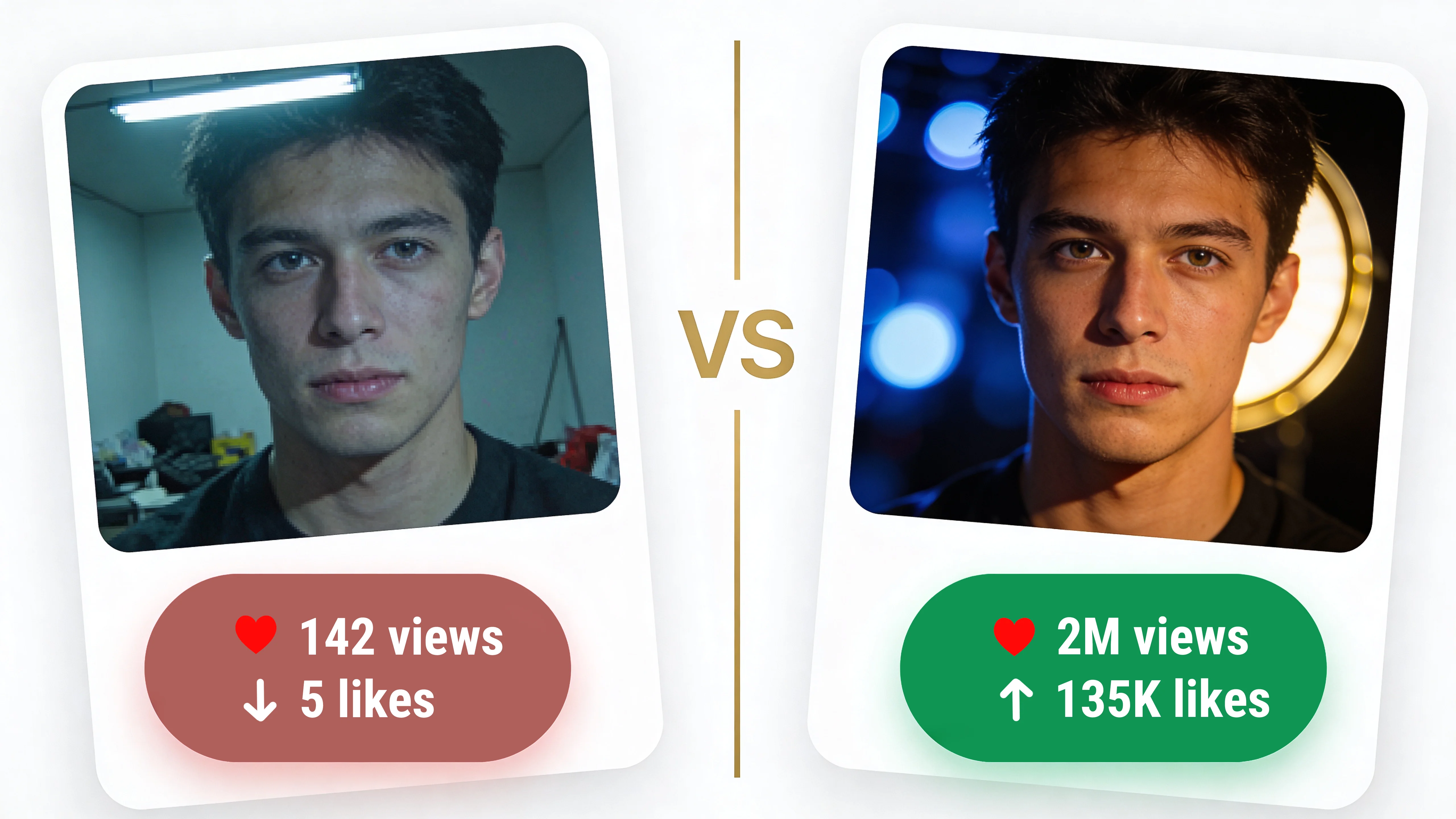
Dark or low-contrast images
Thumbnails shot in dim lighting, with dark backgrounds, or with low contrast between subject and background get lost in the feed. Even if the video content is filmed in low light, the thumbnail itself should be bright and punchy.
The Pro Difference: What Professional Editing Adds
You can absolutely make decent thumbnails yourself with Canva or Photoshop. But there's a gap between "decent" and "professional" — and that gap directly translates to clicks.
Here's what professional thumbnail editing typically involves:
Subject cutout and background replacement — cleanly removing you from the original background and placing you on a more eye-catching one. AI tools can do rough cutouts, but hair detail, edge quality, and natural lighting match require human precision.
Skin retouching and enhancement — not making you look fake, but ensuring your face looks sharp, well-lit, and clear at thumbnail size. Removing distracting blemishes, evening out skin tone, enhancing eyes.
Color grading and contrast — making the thumbnail pop with vibrant, attention-grabbing colors while keeping it natural. Professional colorists know how to make an image feel energetic without looking oversaturated.
Composition and layout — arranging elements so the eye flows naturally from the most important thing (usually your face) to the supporting elements (text, context). Good composition is invisible — you don't notice it, but you feel it.
Text design — professional typography that's bold, readable, and integrated into the image. Not just dropping text on top, but making it part of the visual design with proper shadows, outlines, or background elements.
Consistency across videos — maintaining a cohesive style across all your thumbnails so your channel has a recognizable brand identity. Same color palette, same text treatment, same energy.
When to Invest in Professional Thumbnails
Not every creator needs professional thumbnail editing. If you're just starting out and getting 50 views per video, focus on making better content first. But there's a tipping point where your content quality exceeds your thumbnail quality — and that's when views plateau despite good content.
Consider professional thumbnails when:
Your content is solid but CTR is below 5%
You're posting consistently (weekly or more) and want to scale
You're monetized and each video represents real revenue
You spend more than 30 minutes making each thumbnail yourself
You notice competitors with similar content getting more views — check their thumbnails
The math works out quickly: if professional thumbnails increase your CTR by even 1-2%, YouTube shows your video to more people, which means more views, more watch time, and more revenue. For a monetized channel, a single video getting an extra 10,000 views can pay for months of thumbnail editing.
The Bottom Line
Your thumbnail is your video's billboard. It's the first thing viewers see and the primary factor in their click decision. Investing time, effort, or money into making your thumbnails stand out is one of the highest-ROI things you can do as a creator.
You don't need to be a Photoshop expert. You need thumbnails that stop the scroll, create curiosity, and accurately represent your content. Whether you achieve that yourself or with professional help, the result is the same — more clicks, more views, more growth.
Need professional photo editing?
Get high-quality retouching, product editing, and more from our expert team.
View Pricing